Do you stop what you're doing every time the phone rings, just to flip through a paper booking log?
For salons, dental clinics, gyms, and any business that runs on appointments, that's a familiar scene. But managing bookings by paper, phone, and Excel quietly builds up costs you don't always see. This article breaks down the common problems, then walks through the concrete steps to move to online booking.
Three problems that come with paper, phone, and Excel
1. Double bookings
When a paper log and staff memory are the only system, it's easy to put two bookings in the same slot. You usually don't notice until both customers show up.
2. Mishearing and transcription errors
Phone calls leave no record. Mishear a date or a name, and it goes straight into the log wrong — which means a follow-up call just to confirm what should have been settled the first time.
3. Sharing booking status is a hassle
With multiple staff, there's only one paper log. While one person is writing in it, nobody else can check it — and that eats into time that should go to customers on the phone.
Small improvements you can make today
Before changing systems, there's a lot you can do right now.
- Repeat the booking back on the spot. Saying the date, name, and service out loud catches most mishearing before it becomes a problem.
- Keep the booking log in one place. When paper and phone notes live in different places, that alone causes double bookings.
- Share blocked-off days and full time slots in advance. Getting everyone looking at the same information cuts down on back-and-forth confirmations.
These are stopgaps, though. As bookings grow, manual management runs into a real ceiling.
What changes with online booking
Switching to an online booking system automates a few things:
- Customers can book 24/7. Outside business hours or when the phone's busy, customers can still book on their own schedule.
- Availability updates in real time. Booked slots simply don't show as available, so double bookings stop happening.
- Confirmations and reminders send automatically. No more data-entry mistakes or forgotten follow-ups — which also helps reduce no-shows.
Three steps to switch
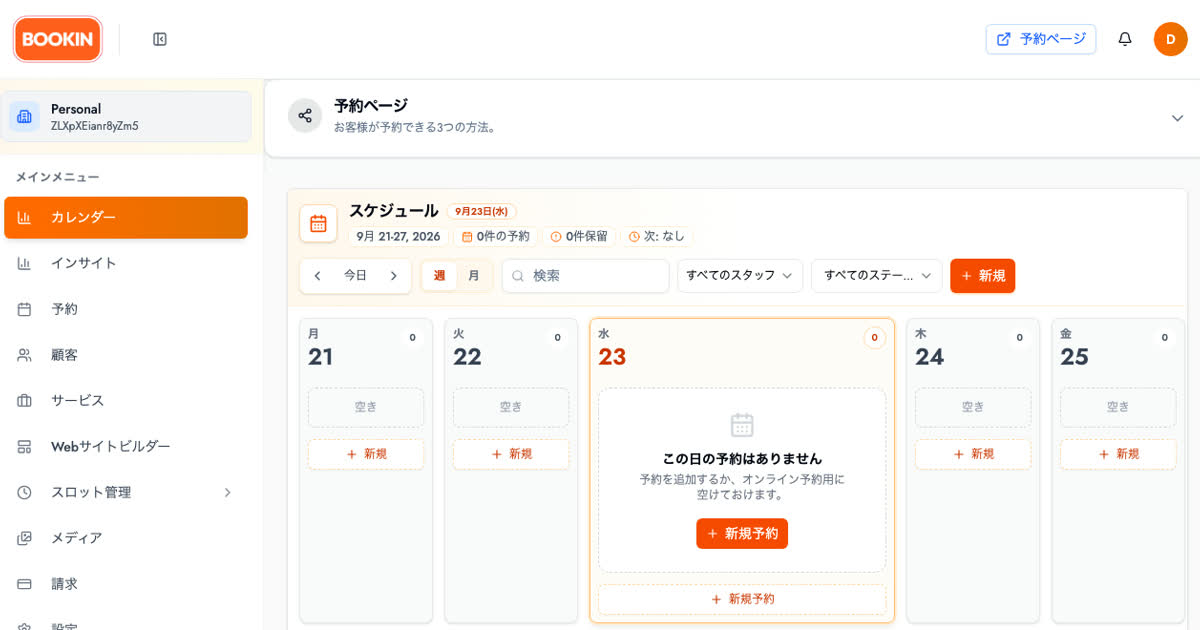
- Set up your services, staff, and hours. Defining each service's duration and which staff can take it makes it easier for customers to choose.
- Publish your booking page and share it. Drop the link into your Google Business Profile or social bio and you've got a new booking channel. BOOKIN also supports booking through LINE, so if you already run a LINE official account, you can point customers there directly.
- Tell your regulars about the new option. You don't have to drop phone bookings overnight — a simple "you can now book online too" is enough to start the shift.
Tips by business type
Salons and beauty
Service durations vary a lot, so the more care you put into setting up your menu, the easier scheduling gets down the line. The salon booking system page covers staff selection and per-service time slots.
Dental clinics
First visits and follow-ups often need different amounts of time, which makes phone-only management especially heavy. The dental booking system page shows how to split slots by visit type.
If you want to start small
If switching everything at once feels risky, the free booking system plan is a reasonable way to test the waters — publish just one service, see how it goes, and expand from there.
Summary
- Paper, phone, and Excel booking management tends to carry three hidden costs: double bookings, mishearing, and the hassle of sharing status.
- Small fixes — repeating bookings back, keeping one log — help today.
- Moving to online booking takes three steps: set up services, publish, tell existing customers.
Turn the time you spend managing bookings back into time with your customers.
Take bookings online with BOOKIN. Set up in minutes, free plan available.
Start for free