"I'd like an online booking system, but I'm not ready to pay a monthly fee before I know it works for me." We hear this all the time from stylists who run their salon alone, and from clinic owners who have just opened.
The good news is that plenty of booking systems let you start for free. The catch is that "free" means something different with every tool. Some cap how many bookings you can take, some hold back features, and some are only free as part of a bigger package. Pick without knowing which is which, and you may hit a wall right when you've got used to it and have to switch.
This guide compares seven booking systems with free plans on the points that matter for a small shop, then lists the checks to run before you choose.
What "free booking system" actually means
Free plans come in three broad types:
- Booking-limit plans: free up to a set number of bookings per month; above that you move to a paid plan. Start free, pay once you grow.
- Feature-limited plans: the core booking features are free, while extras such as reminders or integrations are paid. You don't have to watch your booking count.
- Free with conditions: the booking feature is free because it's meant to be used alongside the vendor's payments or other tools.
Which type suits you depends on how many bookings you take and how much you want automated. Before looking at the table, get a rough idea of how many bookings your shop handles each month; it makes the decision much faster.
7 free booking systems compared
Free-plan terms change from time to time, so this table compares each tool's general approach. Always check the latest terms on the official site before signing up.
| Tool | Type of free plan | Highlights | Best for |
|---|---|---|---|
| BOOKIN | Booking-limit | Your own booking page at your own URL. Automatic reminders and phone-friendly booking management on the free plan. LINE integration on paid plans. No credit card needed | Salons, dental and medical clinics, gyms: shops with one to a few staff |
| RESERVA | Booking-limit | Many industry templates, covering a wide range of businesses | Shops that want to start fast from an industry template |
| STORES Reserve | Booking-limit | Strong support for monthly fees and class passes | Schools, lessons, fitness studios |
| Square Appointments | Free with conditions | Built into Square payments; works well with prepayment and cancellation fees | Shops already running payments on Square |
| freee Reserve | Feature-limited | Designed around freee accounting; simple booking intake | Sole proprietors already using freee |
| Airリザーブ (Air Reserve) | Feature-limited | Works with Airレジ and the rest of the Air series; core features free | Shops already on the Air series |
| SelectType | Feature-limited | Very flexible forms with lots of custom fields | Shops that need detailed information at booking time |
BOOKIN
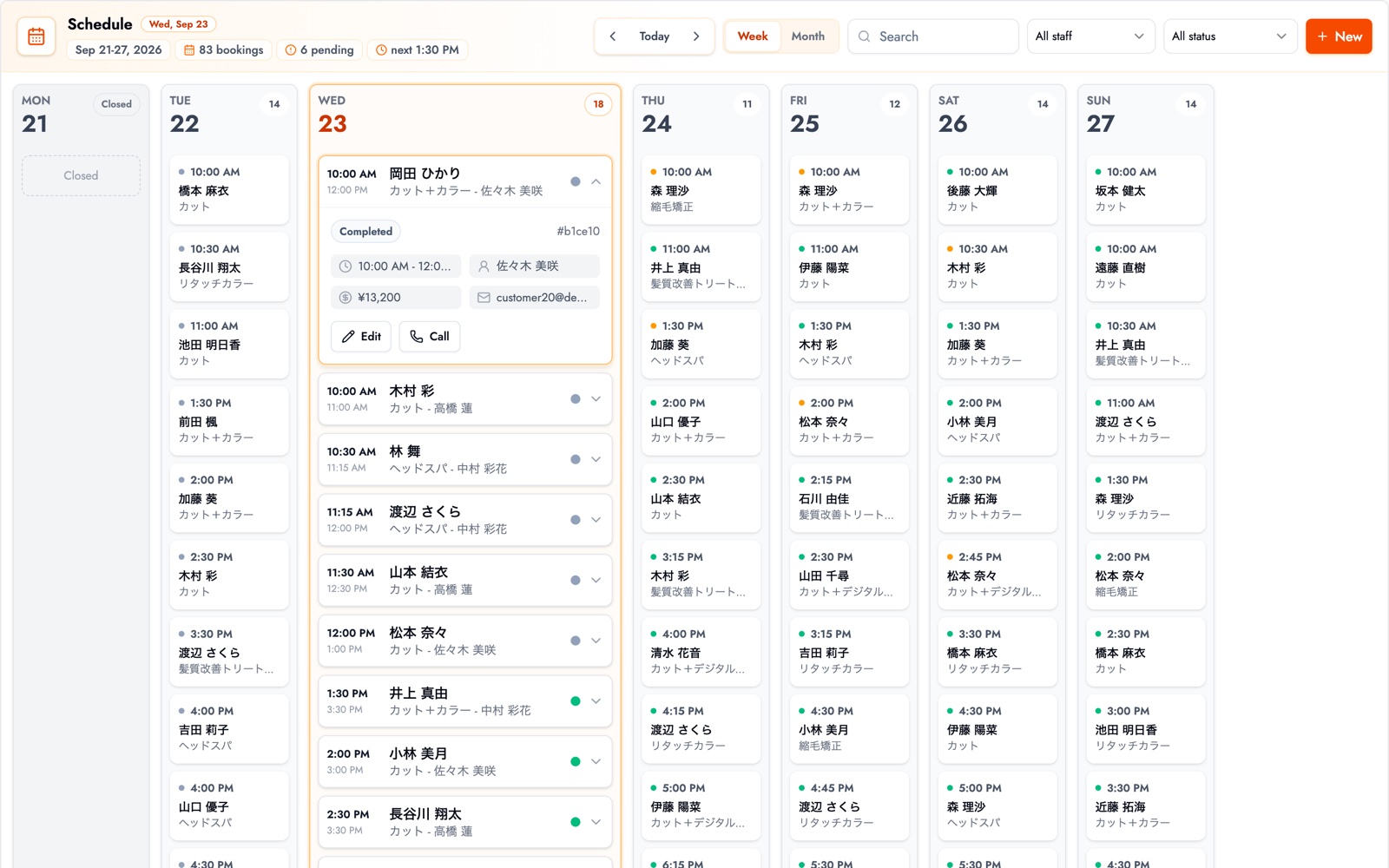
BOOKIN is built to let small shops take bookings without picking up the phone. Even on the free plan you get your own booking page, automatic reminders before each appointment, and booking management from your phone. You can share your booking page link directly on LINE or Instagram. Taking bookings straight from your LINE official account with LINE integration is available on paid plans. No credit card is needed to start, so you can publish a single service and see how it goes. See what the free plan includes.
RESERVA
RESERVA offers a large set of industry templates and is used for everything from shops to events. Its free plan limits the number of bookings, which suits shops that want to try it out with low volume first.
STORES Reserve
Formerly Coubic. It's strongest at monthly memberships, class passes and group lessons where several people book the same slot. A good candidate for schools, classes and small fitness studios.
Square Appointments
Booking built into Square's payment service. It makes prepayment and saved-card workflows easy, which pairs well with charging cancellation fees. If you'd rather keep payments and bookings separate, a standalone tool is simpler.
freee Reserve
Formerly tol. Aimed at sole proprietors who use freee's accounting software, linking bookings through to bookkeeping. The booking side is simple, so it suits shops that don't need complex staff management.
Airリザーブ (Air Reserve)
Part of Recruit's Air series, designed to be used with Airレジ and related tools. If your shop already uses the Air series, there's little new to learn.
SelectType
Booking forms are highly customisable, so you can ask exactly the questions you need at booking time. The flip side is a lot of settings, so shops that value simplicity may need a little extra time to get started.
How to choose a free booking system: 5 checks
If the table alone doesn't settle it, here are the five things a small shop should check.
1. What happens when you hit the limit?
On a booking-limit plan, find out in advance whether bookings stop for the rest of the month or whether you move to a paid plan automatically. The worst case is a customer trying to book and finding the page closed.
2. Are reminders included in the free plan?
Automatic reminders are the most visible way to reduce no-shows. Many tools make them a paid feature, so it's worth checking whether you get them for free.
3. Does it support booking through LINE?
If most of your regulars talk to you on LINE, it makes a difference whether customers can book straight from your LINE official account or only through a link you send. Check whether it's on the free plan or a paid feature. With BOOKIN, sending your booking page link on LINE works on the free plan, while booking through LINE directly from your official account is a paid feature.
4. Can you present the booking page as your own?
There's a big difference between being listed inside a vendor's portal and having a booking page at your own URL, especially if you want to rely less on listing sites such as Hot Pepper. Picture which URL you'd put on your Google Business Profile or Instagram bio.
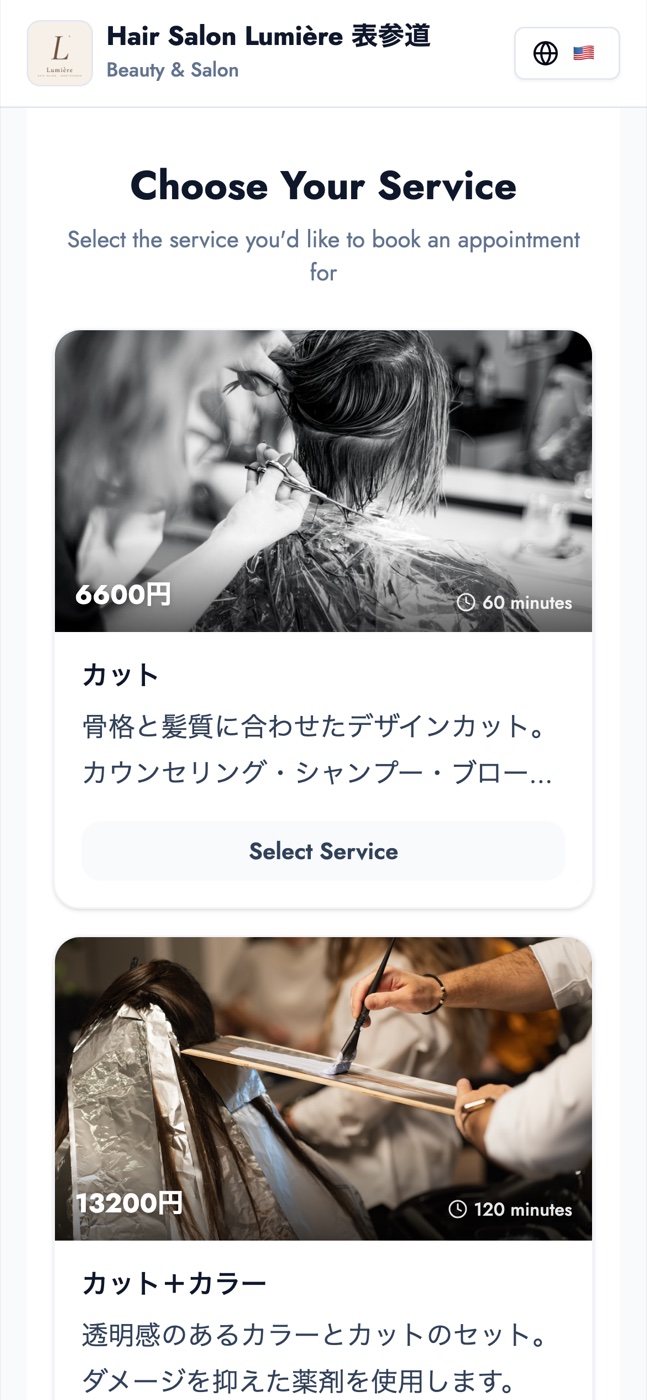
Demo salon photos shown: Gabriela / Unsplash, Ionela Mat / Unsplash
5. Can you check and change bookings from your phone?
Between clients or at the register, you'll almost always check bookings on your phone. Whether the dashboard reads well on a phone, and whether a same-day change takes just a few taps, is quickest to judge by signing up for a free plan and trying it.
Is the free plan enough for you?
- You work alone and take up to a few dozen bookings a month: a booking-limit free plan often covers you comfortably.
- You have two or three staff and customers request a specific person: check that the free plan lets you set up booking slots per staff member.
- No-shows are a problem: prioritise a tool with free reminders.
- You take more than 100 bookings a month: treat the free plan as a trial and pick a tool with a gentle step up to paid.
For the step-by-step move away from paper, phone and Excel, see how to streamline booking management.
What to look for by industry
Hair and beauty salons
The deciding factor is whether the free plan lets you set a duration per service and let customers choose their stylist. The salon booking system is designed so you can take bookings without answering the phone mid-appointment.
Dental and medical clinics
The main needs are separate slots for first and follow-up visits, and reminders that cut forgotten appointments. See the pages for dental clinics and medical clinics.
Personal gyms and classes
Repeat visits stay steady when clients book their next session before they leave. If class passes and monthly fees matter most, a lesson-focused tool like STORES Reserve fits. If easy intake and next-visit booking matter more, look at the gym booking system.
Summary
- Free booking-system plans fall into three types: booking-limit, feature-limited, and free with conditions.
- The five things a small shop should check: what happens at the limit, reminders, LINE support, your own URL, and phone-based management.
- A free plan is a starting point. Choose a tool with a gentle step up to paid, so you won't have to switch later.
Start by signing up for a free plan and publishing a booking page for just one service. Even that is enough to feel the difference in the time you used to spend on the phone.
Take bookings online with BOOKIN. Set up in minutes, free plan available.
Start for free