"Can I just book through LINE?" If you run a shop in Japan, a regular has probably asked you this. Many small businesses already handle bookings over their LINE official account, scrolling back through chats to confirm a time and checking availability by hand for every message.
There are several ways to take bookings on LINE for free. The catch is that each one draws the line between "free" and "still manual" in a different place. This guide walks through the four ways to take LINE bookings, compares them on cost, automation and fit, and lists what to check so you don't have to switch later.
4 ways to take bookings on LINE for free
The four options run from "easy to start but lots of manual work" to "takes some setup but runs itself".
1. Use the LINE official account's own booking feature
LINE official accounts include a booking feature for certain kinds of shops, which lets customers reserve without leaving LINE. The catch is that it's limited to specific business categories and conditions, so check LINE's official site first to see whether your business qualifies. If it doesn't, you're looking at options 2 to 4.
2. Take bookings in chat
This is the most common approach. A customer messages "Do you have anything on the 12th in the afternoon?", you check your schedule, and reply. It costs nothing and you can start today.
The downside is that the bookings themselves still live on paper or in a notes app. Messages that arrive after hours wait until morning, and by the time you reply the slot may already be gone. And just like phone bookings, you can't answer while you're mid-appointment.
3. Put a booking form in your rich menu
Build a form with a free tool such as Google Forms and link it from your official account's rich menu or greeting message. Customers send their preferred date, time and service, which cuts down on misheard details compared with chat.
The weakness is that the form knows nothing about your availability. Requests come in for slots that are already full, so you still have to check and reply to each one. Nothing prevents double bookings either, so the checking grows with your booking volume.
4. Connect a booking system to LINE
Make your booking system's page reachable from LINE. Availability shows in real time, the booking is confirmed the moment the customer picks a slot, and confirmations and reminders go out automatically. You never have to reply.
There are two levels of integration:
- Share your booking page link on LINE: put the link in your rich menu or a chat. Most booking systems allow this on their free plan.
- Book entirely inside LINE: the booking page opens inside the LINE app, and confirmations and reminders arrive in LINE too. This is usually a paid-plan feature on the booking system's side.
Which option fits which shop
| Method | Cost | Live availability | Reminders | Manual work | Best for |
|---|---|---|---|---|---|
| 1. LINE's own booking feature | Free tier | Yes, if eligible | Depends | Low | Shops in the eligible categories |
| 2. Manual chat | Free | No | Manual | High | Shops with a handful of bookings a month |
| 3. Linked form | Free | No | Manual | Medium | Shops that need lots of details and have low volume |
| 4. Connected booking system | Free plan available | Yes | Automatic | Almost none | Shops that can't reply mid-appointment, or whose bookings are growing |
Free tiers and conditions change over time, so confirm the latest terms on each provider's official site before you commit.
Where "free" ends
Running LINE bookings for free can hit a cost at two points:
- Message volume on the LINE official account. Official accounts come with a free allowance of messages. Shops that send a lot of broadcasts reach that limit sooner, and if confirmations and reminders count against the same allowance, every new booking uses some of it.
- The booking system's plan. Free plans typically cap monthly bookings, and LINE integration is often reserved for paid plans.
So yes, you can start with both LINE and a booking system for free. Knowing which limit you'll hit first as bookings grow saves a scramble later. For how free plans differ, see our comparison of free booking systems.
Taking LINE bookings with BOOKIN
BOOKIN is an online booking system for small shops. Combined with LINE, it works like this:
- On the free plan: publish your own booking page and share its link in LINE chats or your rich menu. This is the first level of option 4: live availability, confirmed bookings and automatic pre-appointment reminders are all included on the free plan.
- On paid plans: the booking page opens as a mini app inside LINE itself, and confirmations and reminders are delivered in LINE. Customers install nothing. They scan a QR code and the booking page opens.
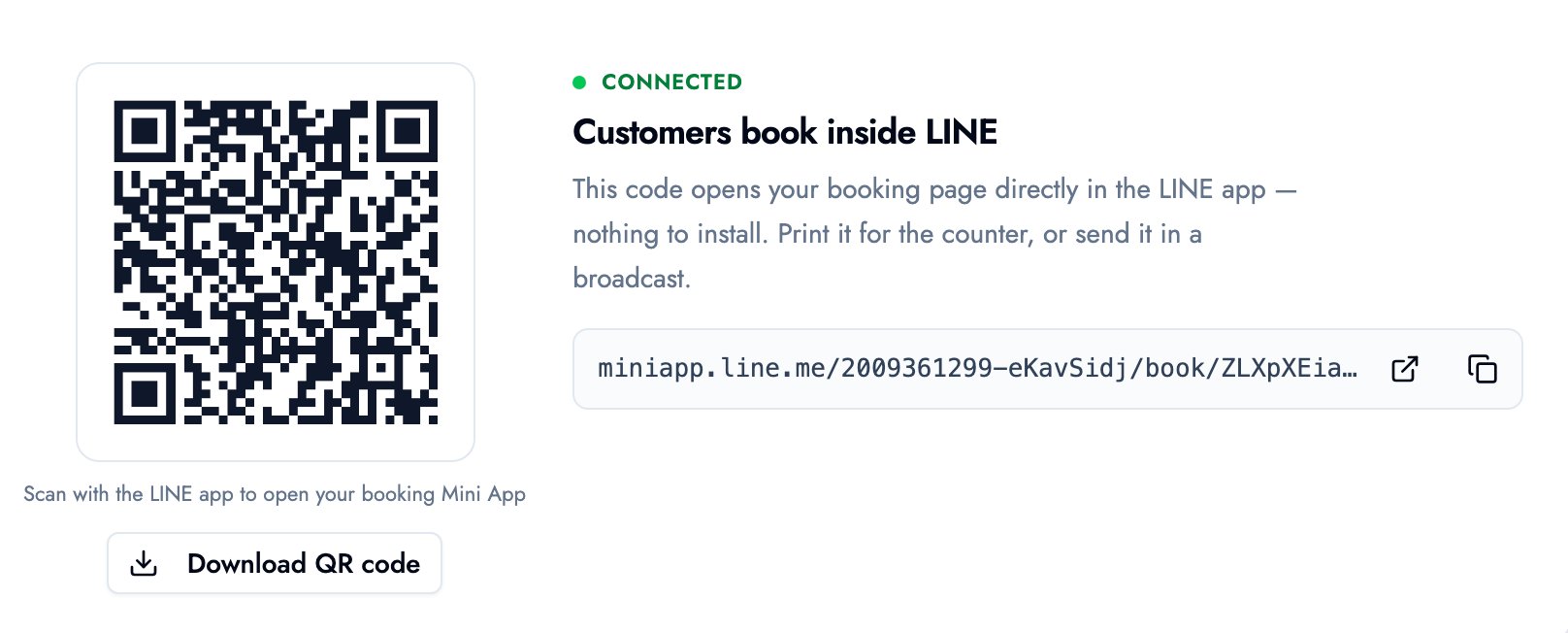
Print the QR code for the counter or send it in a broadcast. When a customer scans it, the booking page opens inside LINE, they pick a service and a time, and the booking is done.
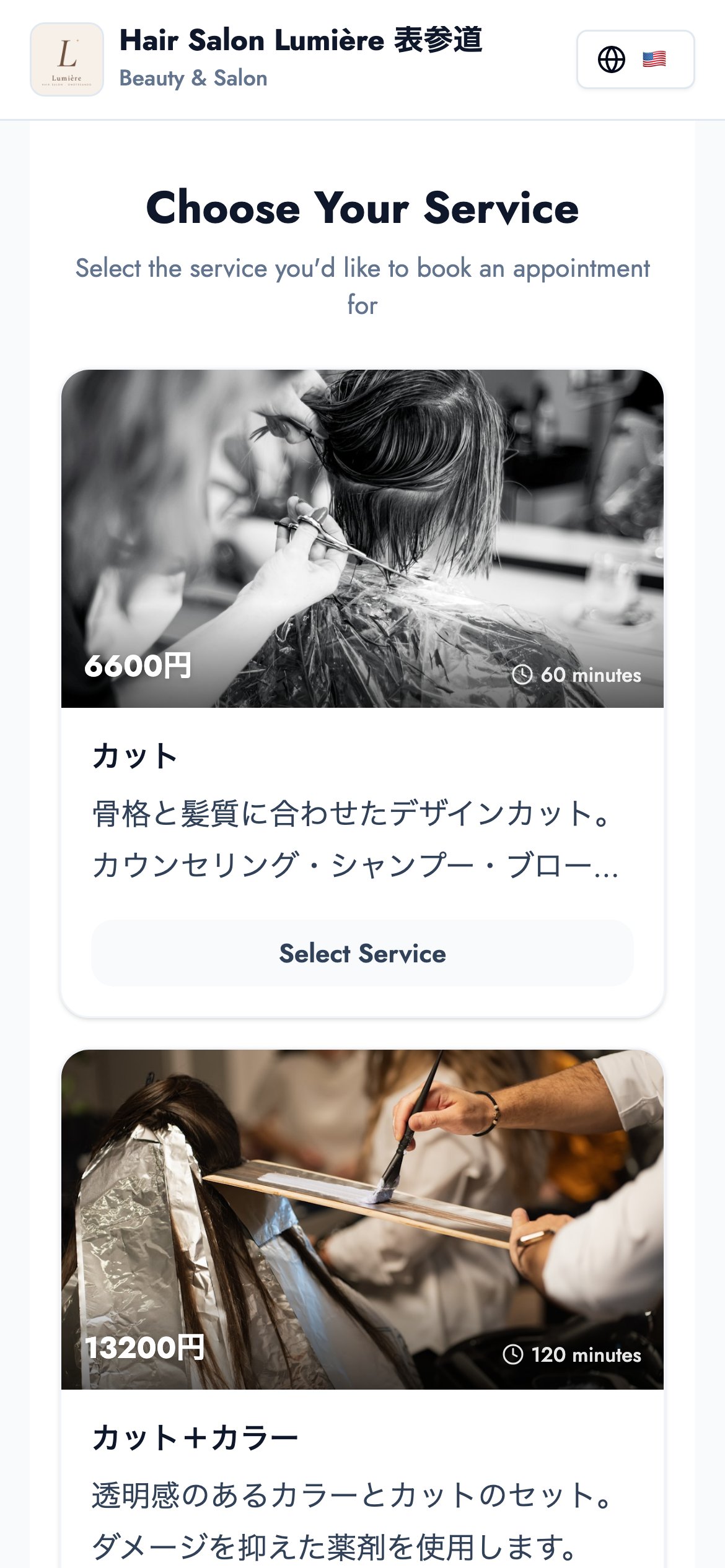
Demo salon photos shown: Gabriela / Unsplash, Ionela Mat / Unsplash
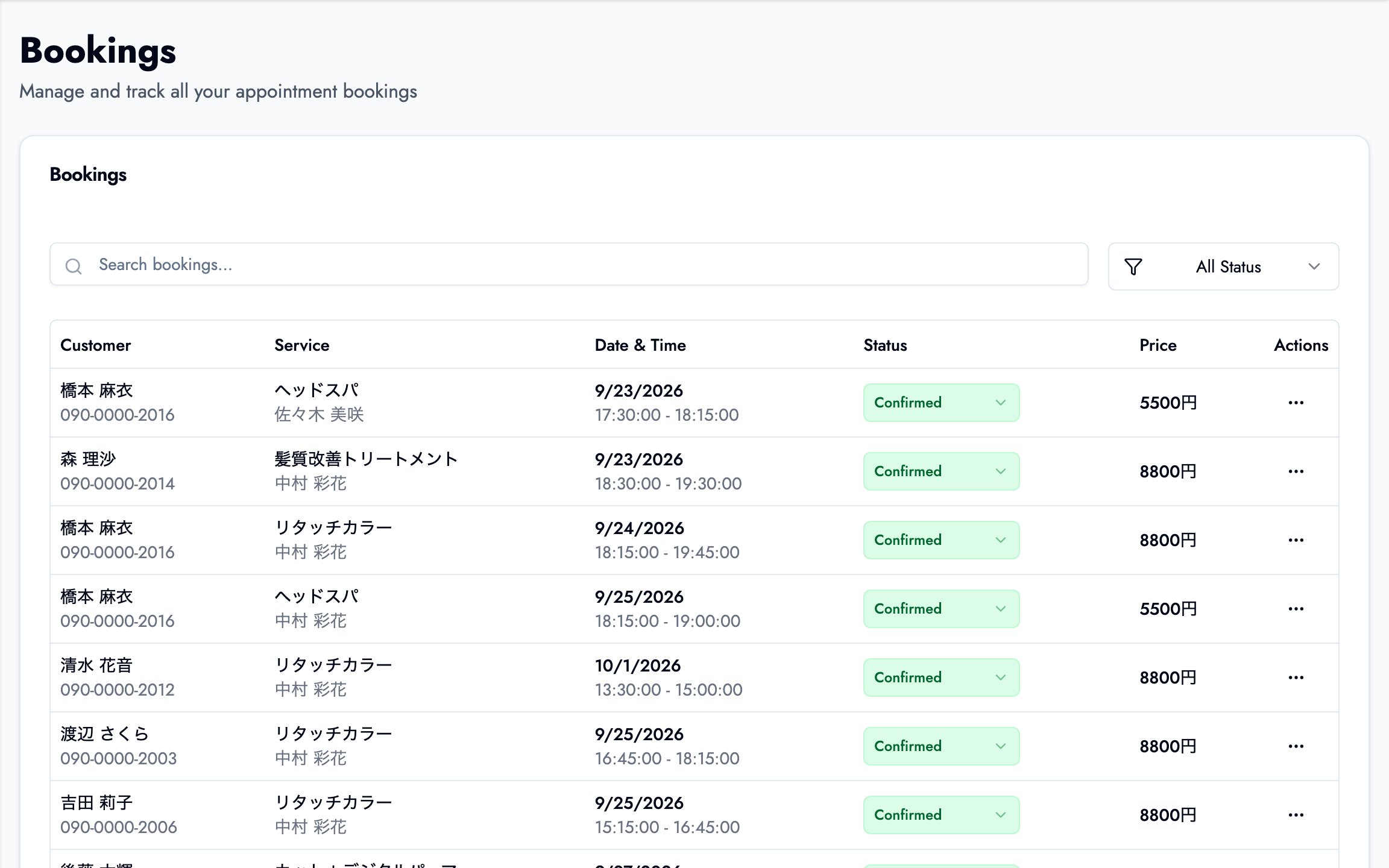
Bookings made through LINE land in the same list as web bookings. Each row shows the customer, service, staff member, time and status, and you can filter by status, so there's no separate notebook for "the LINE ones".
The LINE booking system page covers the details.
What to check when choosing a LINE booking system
If you go with option 4, check these four things.
1. Customers don't need another app
Asking customers to install a dedicated app is where many of them drop off. Make sure the page opens inside LINE, or at least in the browser with no install.
2. How much the free plan automates
Can you only share a link on LINE, or do reminders go out automatically too? Automatic reminders are the most visible way to reduce no-shows, so whether they're on the free plan matters.
3. What connecting a LINE official account involves
Booking entirely inside LINE generally needs some setup on the official-account side. Check that the steps are documented and that support can walk you through them.
4. Where bookings end up
Bookings from LINE, the web and the phone should all land in one screen. If they don't, someone on your staff ends up copying them across. For the steps to move off paper and phone, see how to streamline booking management.
Summary
- There are four ways to take bookings on LINE: the official account's booking feature, manual chat, a linked form, and a connected booking system.
- Chat and forms are free and instant, but you're still checking availability and replying by hand.
- With a connected booking system, sharing the booking link on LINE is usually free, while booking entirely inside LINE is typically a paid feature.
- If you're starting free, know which limit you'll hit first: LINE's message allowance or the booking system's monthly cap.
Start by putting your booking page link in your rich menu. Even that cuts the number of "is that slot free?" chats, and gives you back time with the customer in front of you.
Take bookings online with BOOKIN. Set up in minutes, free plan available.
Start for free